



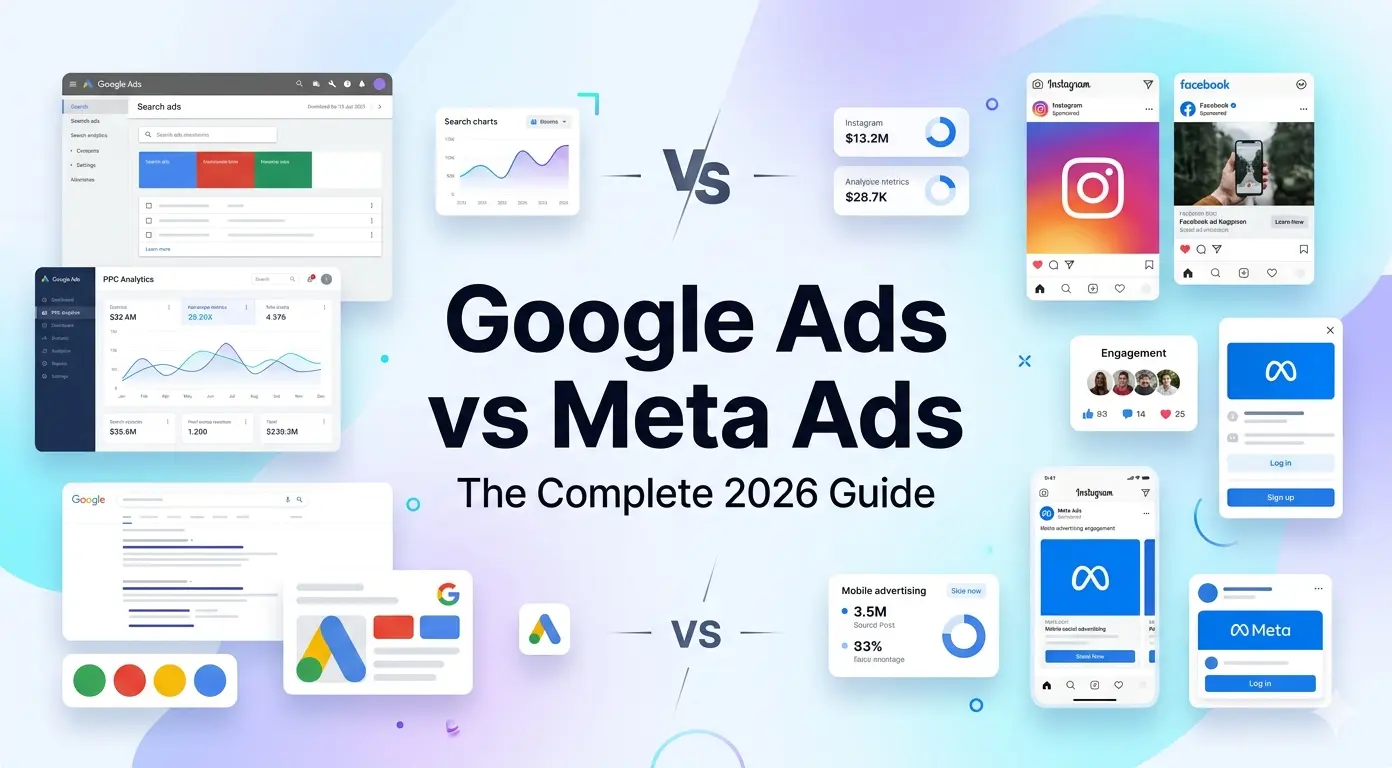
What Are Google Ads and Meta Ads?
- •Google Ads captures demand — users are actively searching for what you offer.
- •Meta Ads create demand — they introduce your brand to people who aren't searching yet.
- •Together, they cover the full customer journey from awareness to conversion.
In 2026, Google Ads and Meta Ads remain the two most powerful paid advertising platforms in the world. Whether you're a small business owner or a seasoned marketer, understanding how each platform works — and how they work together — is essential for driving consistent, measurable growth.
Google Ads works on intent. When someone searches 'best running shoes under $100', they're already looking to buy. Google puts your ad in front of them at that exact moment. Meta Ads (Facebook and Instagram) work on interest and behavior. You reach people based on who they are — their demographics, interests, and habits — before they even know they need your product.
How Google Ads Works
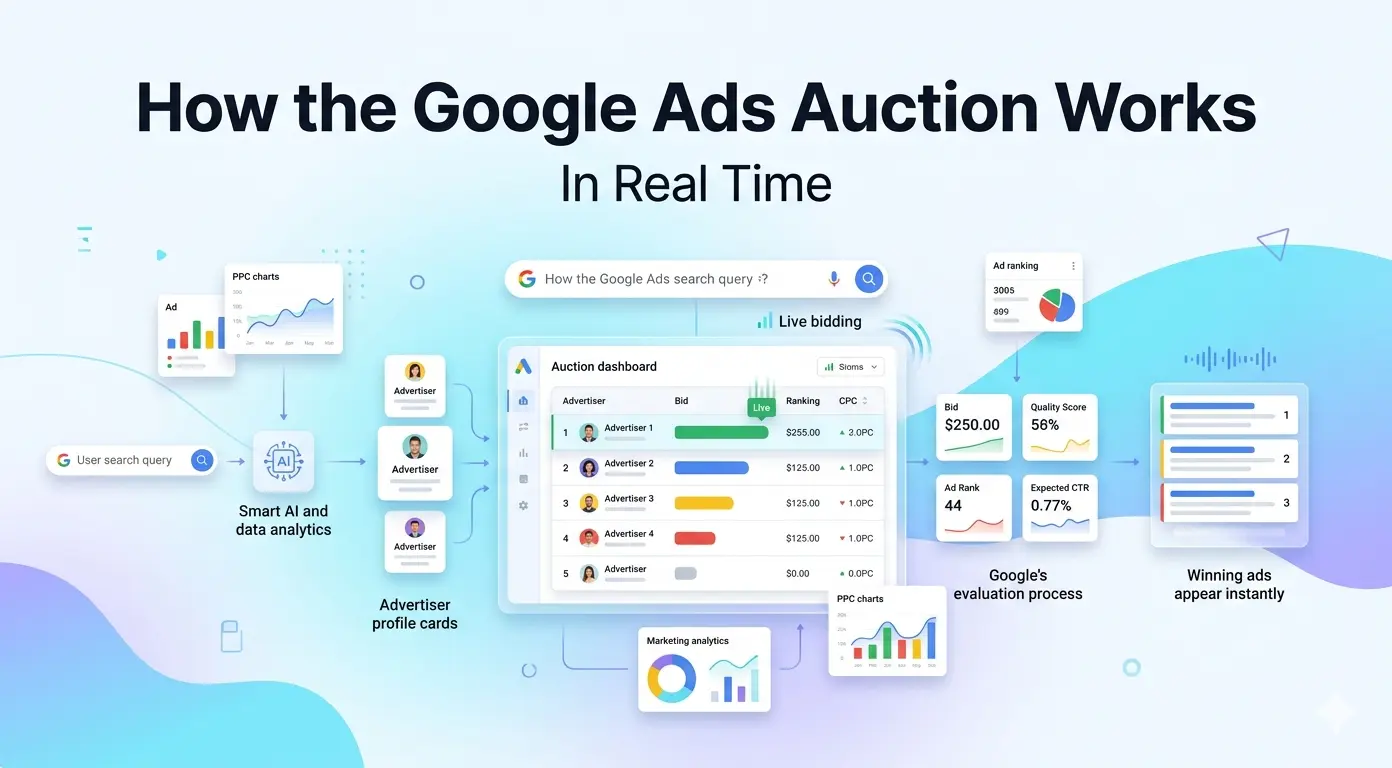
- •Google Ads uses an auction system — you bid on keywords relevant to your business.
- •Ad Rank determines your position, combining your bid, Quality Score, and ad relevance.
- •You only pay when someone clicks your ad (Pay-Per-Click model).
Google Ads operates on a pay-per-click (PPC) auction model. Every time a user searches on Google, an auction runs in milliseconds to determine which ads appear and in what order. Your ad position isn't just about how much you bid — it's about your overall Ad Rank.
What Is Ad Rank?
Ad Rank is calculated using your bid amount, your Quality Score (relevance of your ad and landing page), and the expected impact of your ad extensions. A higher Quality Score can let you outrank competitors even with a lower bid.
Google Ads Campaign Types
| Campaign Type | Where Ads Appear | Best For |
|---|---|---|
| Search | Google search results | High-intent buyers actively searching |
| Display | Websites, apps, Gmail | Brand awareness and retargeting |
| Shopping | Google Shopping tab | E-commerce product listings |
| YouTube (Video) | YouTube pre-roll and mid-roll | Brand storytelling and awareness |
| Performance Max | All Google channels at once | Automated full-funnel campaigns |
| App | Play Store, Search, YouTube | Mobile app installs and engagement |
Google Ads Bidding Strategies
- Maximize Clicks — Google spends your budget to get as many clicks as possible.
- Target CPA (Cost Per Acquisition) — Google optimizes bids to get conversions at your target cost.
- Target ROAS (Return on Ad Spend) — Google maximizes revenue relative to your ad spend.
- Maximize Conversions — Spends your full budget to get the most conversions.
- Manual CPC — You set bids yourself, giving full control but requiring more management.
How Meta Ads Works
- •Meta Ads target people based on interests, behaviors, and demographics — not search intent.
- •The Meta Pixel tracks user behavior on your website to power retargeting and lookalike audiences.
- •Creative quality is the single biggest driver of Meta Ads performance.
Meta Ads run across Facebook, Instagram, Messenger, and the Audience Network. Unlike Google, users aren't searching for anything — Meta's algorithm predicts who is most likely to engage with or buy from your ad based on their behavior, interests, and connections.
Meta Ads Campaign Structure
Meta organizes campaigns in three levels: Campaign (objective), Ad Set (audience, budget, placement), and Ad (creative). Getting this structure right is key to performance.
| Objective | What It Optimizes For | Best Use Case |
|---|---|---|
| Awareness | Reach and impressions | New brand launches, broad visibility |
| Traffic | Link clicks to your website | Blog posts, landing pages |
| Engagement | Likes, comments, shares | Community building, social proof |
| Leads | Form fills and sign-ups | B2B, services, newsletter growth |
| App Promotion | App installs and events | Mobile app businesses |
| Sales | Purchases and conversions | E-commerce and direct response |
Meta Ads Targeting Options
- Core Audiences — Target by age, gender, location, language, interests, and behaviors.
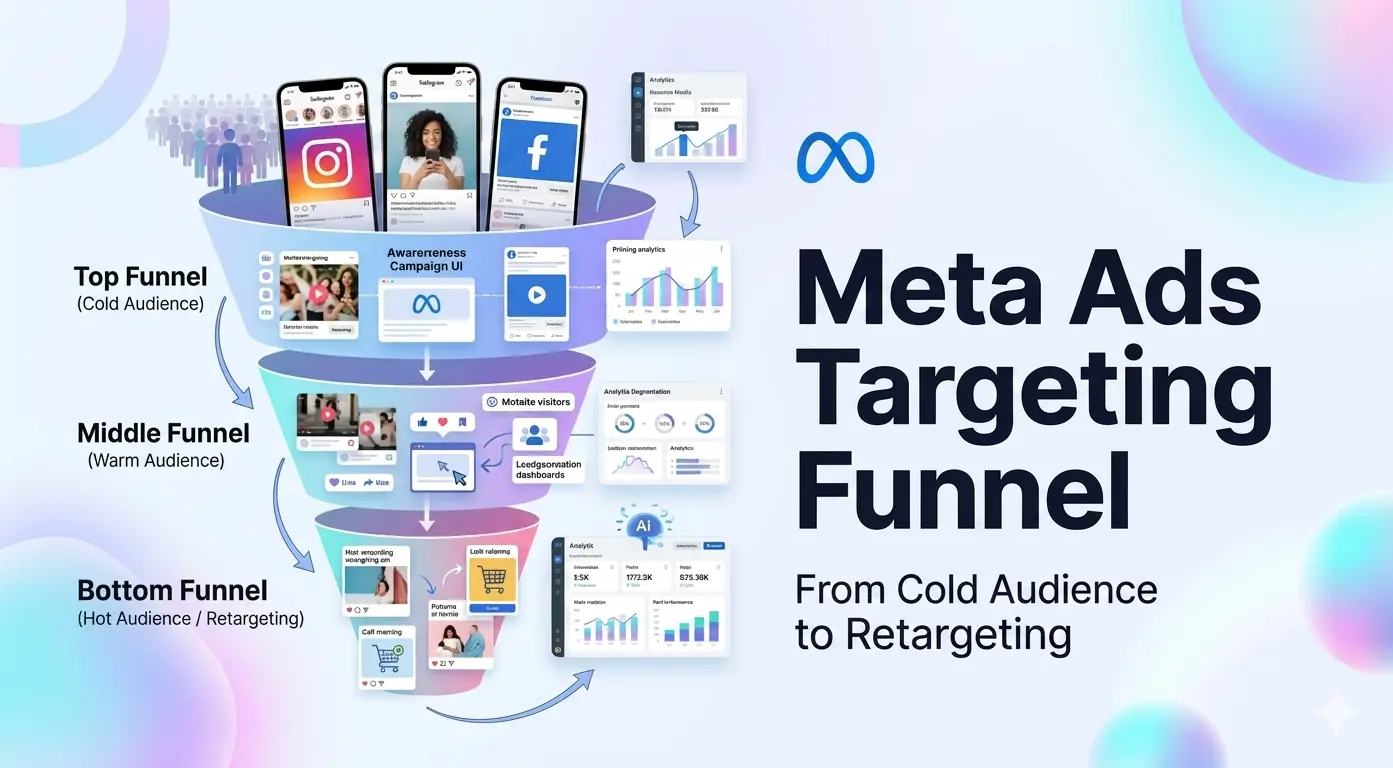
- Custom Audiences — Retarget people who visited your website, engaged with your content, or are on your email list.
- Lookalike Audiences — Reach new people who share characteristics with your best customers.
- Advantage+ Audiences — Meta's AI finds the best audience automatically using signals from your pixel and campaign data.
The Meta Pixel
The Meta Pixel is a small piece of code you install on your website. It tracks what users do after clicking your ad — page views, add-to-carts, purchases — and feeds that data back to Meta. This powers retargeting campaigns and teaches the algorithm who is most likely to convert.
Google Ads vs Meta Ads: Key Differences
- •Google captures existing demand; Meta creates new demand.
- •Google works best for high-intent, bottom-of-funnel buyers.
- •Meta excels at awareness, engagement, and top-of-funnel reach.
| Factor | Google Ads | Meta Ads |
|---|---|---|
| Intent | High — users are actively searching | Low to medium — interest-based |
| Best For | Conversions, leads, direct sales | Awareness, engagement, retargeting |
| Ad Formats | Text, Shopping, Display, Video | Image, Video, Carousel, Stories, Reels |
| Targeting | Keywords + audiences | Demographics, interests, behaviors |
| Avg. CPC (2025) | $2–$10 (varies by industry) | $0.50–$3 (varies by industry) |
| Learning Curve | Moderate | Moderate |
| Creative Dependency | Low (text-driven) | High (visual creative is everything) |
| Retargeting | Yes (Display + YouTube) | Yes (very powerful) |
| Minimum Budget | No minimum | No minimum |
When to Use Google Ads vs Meta Ads
- •Use Google Ads when your customers are actively searching for your product or service.
- •Use Meta Ads to build brand awareness or reach audiences who don't know you yet.
- •Use both together for a full-funnel strategy that captures and creates demand.
Choose Google Ads When:
- Your product or service has clear search demand (e.g., 'plumber near me', 'buy running shoes').
- You want to capture bottom-of-funnel buyers who are ready to purchase.
- You're running a local business and want to appear in local search results.
- You sell products and want Google Shopping placements.
Choose Meta Ads When:
- You're launching a new product that people aren't searching for yet.
- You want to build brand awareness at scale with visual storytelling.
- You have a strong visual identity and creative assets (photos, videos).
- You want to retarget website visitors or engage a warm audience.
- Your audience is defined by interests or demographics rather than search keywords.
Use Both When:
Running Meta Ads for awareness and Google Ads for conversion is the most effective full-funnel strategy. Meta introduces your brand; Google closes the sale. Users who've seen your Meta ads are significantly more likely to click your Google search ads — this effect is called the halo effect.
Budgeting for Google and Meta Ads
- •Start with a test budget of $10–$30/day per platform to gather data.
- •Allocate more budget to the platform that drives your primary conversion goal.
- •Revisit budget splits monthly based on ROAS and CPA data.
There's no universal rule for how to split budget between Google and Meta — it depends on your business model, goals, and industry. However, there are practical starting points for beginners.
| Business Type | Google Ads % | Meta Ads % | Reasoning |
|---|---|---|---|
| E-commerce | 40% | 60% | Visual products perform well on Meta; Google captures purchase-ready buyers |
| Local Services | 70% | 30% | High local search intent makes Google the priority |
| SaaS / B2B | 50% | 50% | Equal mix for lead gen and brand awareness |
| Mobile App | 30% | 70% | Meta's app install campaigns typically outperform |
| New Brand / Launch | 20% | 80% | Meta builds awareness faster for unknown brands |
- Start small — $10–$30/day per platform is enough to collect meaningful data in 2–4 weeks.
- Don't judge too early — Both platforms need a learning phase (typically 7–14 days) before optimizing.
- Scale what works — Increase budget on campaigns with proven CPA or ROAS targets.
- Review monthly — Reallocate based on performance data, not assumptions.
Ad Formats: Google vs Meta
- •Google offers text-heavy formats suited for search intent.
- •Meta is a visual platform — video and carousel ads dominate performance.
- •Both platforms reward relevance: the more relevant your ad, the less you pay.
Google Ad Formats
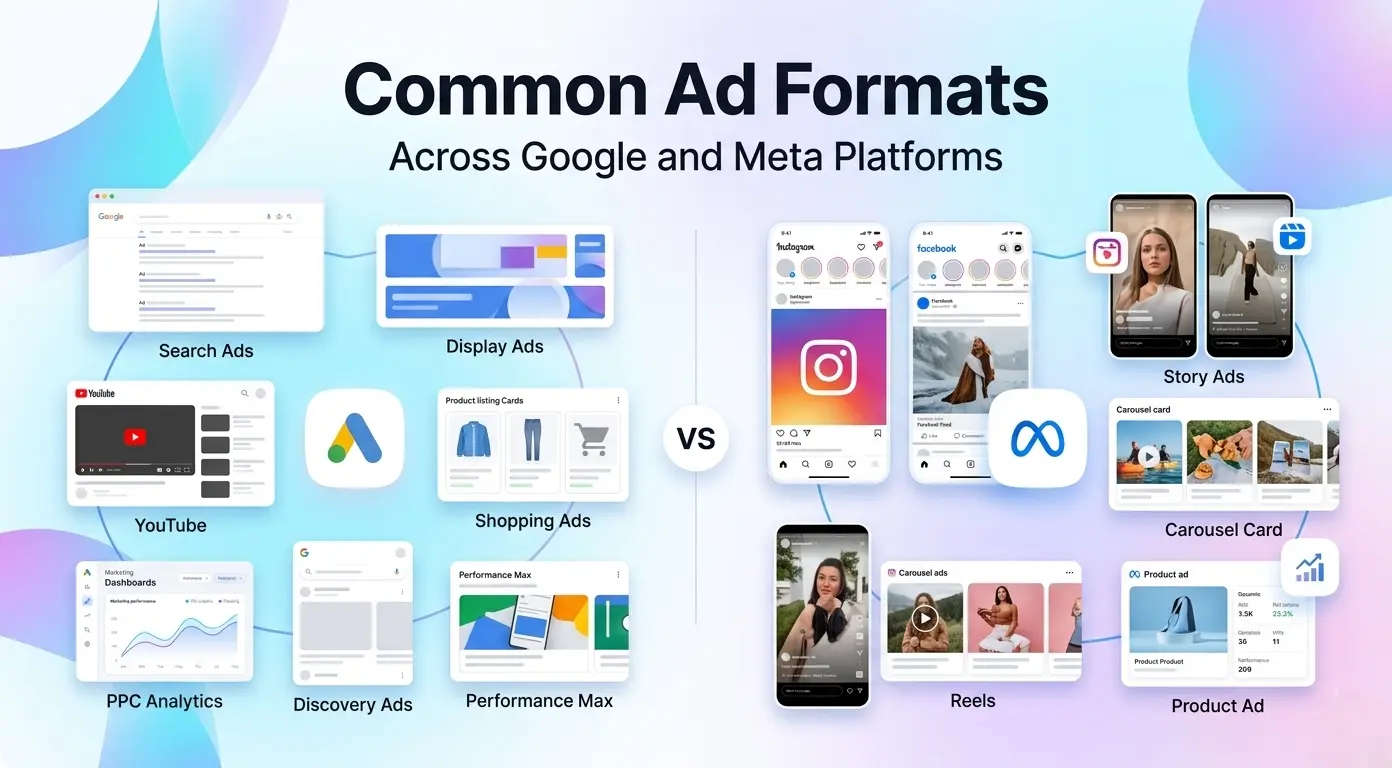
- Responsive Search Ads (RSA) — Provide up to 15 headlines and 4 descriptions; Google mixes and matches for best performance.
- Performance Max Ads — Fully automated; provide assets and Google runs ads across Search, Display, YouTube, Gmail, and Maps.
- Shopping Ads — Product image, title, price, and store name shown in Google Shopping.
- Display Ads — Banner ads shown across millions of websites in the Google Display Network.
- YouTube Video Ads — Skippable, non-skippable, or bumper ads shown before or during YouTube videos.
Meta Ad Formats
- Single Image Ads — Simple, effective for direct response with a strong visual and CTA.
- Video Ads — Best-performing format on Meta; short-form (6–15s) works well for awareness.
- Carousel Ads — Showcase multiple products or features in a swipeable format.
- Collection Ads — Mobile-first format that opens a full-screen experience with product catalog.
- Stories & Reels Ads — Full-screen vertical ads shown between Instagram and Facebook Stories/Reels.
- Lead Ads — Native forms that collect user info without leaving the platform.
Case Study: Google + Meta Full-Funnel Strategy
- •A DTC fashion brand combined Meta awareness ads with Google Shopping campaigns.
- •Meta Ads warmed up the audience; Google captured purchase-ready visitors.
- •Results: 3.4× ROAS overall and 55% lower CPA within 90 days.
ThreadCo (DTC Fashion)
Fashion / E-commerceThreadCo relied solely on Meta Ads for paid acquisition. While their creative performed well for awareness, they struggled to convert cold audiences into buyers efficiently. Their CPA was high and ROAS plateaued at 1.9×.
Introduced Google Shopping and Search campaigns to capture users who had seen Meta ads and then searched for the brand or related products. Ran Meta Reels ads for top-of-funnel awareness and retargeted website visitors with Meta carousel ads showing recently viewed products. Google Search ads captured branded and category keywords for bottom-of-funnel conversion.
Within 90 days, overall ROAS improved from 1.9× to 3.4×. CPA dropped by 55%. Branded search volume on Google increased by 38%, a direct result of Meta awareness campaigns driving brand recall.
How to Get Started: Step-by-Step
- •Set up conversion tracking before spending a single dollar on ads.
- •Define one clear goal per campaign — don't try to do everything at once.
- •Use the checklist below to launch your first campaigns on both platforms.
Getting Started with Google Ads
- Create a Google Ads account at ads.google.com and link it to your Google Analytics 4 property.
- Install conversion tracking — Set up Google Tag Manager and define your key conversion events (purchase, lead, sign-up).
- Do keyword research — Use Google Keyword Planner to find relevant keywords with manageable competition.
- Build your first Search campaign — Choose a tight set of 10–20 keywords, write 3–5 Responsive Search Ads, and set a daily budget.
- Set your bidding strategy — Start with Maximize Clicks to gather data, then switch to Target CPA once you have 30+ conversions.
- Add ad extensions — Sitelinks, callouts, and structured snippets improve CTR at no extra cost.
Getting Started with Meta Ads
- Create a Meta Business Suite account at business.facebook.com and set up your Ad Account.
- Install the Meta Pixel on your website and verify it's firing correctly using Meta Pixel Helper.
- Define your campaign objective — Choose Sales for e-commerce, Leads for service businesses, or Awareness for new brands.
- Build your audience — Start with a broad interest-based audience (1–5M people) and let Meta's algorithm learn.
- Create your ad creative — Use high-quality images or short videos. Test at least 3–5 creative variations.
- Set your budget and schedule — Start with $15–$20/day and run for at least 7 days before making changes.
- Analyze and iterate — Check results after the learning phase (typically 50 optimization events) and scale winning ad sets.
✓ Google + Meta Ads Launch Checklist
- Google Ads account created and billing set up
Account linked to Google Analytics 4 for conversion tracking.
- Google conversion tracking installed
Key events (purchase, lead, sign-up) are firing correctly.
- Keyword research completed
Target keywords identified with search volume and competition data.
- First Google Search campaign live
RSAs written, ad extensions added, bidding strategy selected.
- Meta Business Suite account set up
Ad account, Facebook Page, and Instagram profile connected.
- Meta Pixel installed and verified
Pixel is tracking page views, add-to-carts, and purchases.
- Meta campaign objective selected
Campaign objective matches your primary business goal.
- Ad creatives prepared (3–5 variations)
Images and/or videos ready in correct dimensions for each placement.
- Test budgets set on both platforms
Both campaigns running with a daily budget of $10–$30.
- UTM parameters added to all ad URLs
Traffic from both platforms is attributable in Google Analytics.
Common Mistakes to Avoid
- •The biggest mistake is changing campaigns before the learning phase is complete.
- •Broad keywords on Google without negatives will drain your budget fast.
- •On Meta, poor creative is the number one reason for underperformance.
| Mistake | Platform | Fix |
|---|---|---|
| Changing campaigns too early | Both | Wait for the learning phase to complete (7–14 days / 50 events) before optimizing |
| No conversion tracking | Both | Install tracking before spending any budget — you're flying blind without it |
| Too many keywords, too broad | Start with exact and phrase match; add a negative keyword list from day one | |
| Ignoring Quality Score | Match ad copy and landing page to the keyword for relevance | |
| Weak or static creative | Meta | Refresh creatives every 2–4 weeks; test video vs image, multiple hooks |
| Targeting too narrowly | Meta | Start broad (1M+ audience) and let the algorithm find converters |
| No retargeting campaigns | Both | Set up retargeting for website visitors — they convert at 3–5× the rate of cold audiences |
The Future of Google and Meta Ads
- •AI-driven automation is replacing manual campaign management on both platforms.
- •Privacy changes are pushing advertisers toward first-party data strategies.
- •Creative quality and brand building are becoming the true competitive advantages.
- AI-first campaigns — Google's Performance Max and Meta's Advantage+ are becoming the default; manual targeting is fading.
- First-party data — As cookies disappear, brands that own their customer data (email lists, CRM) will have a major edge.
- Creative as the new targeting — On Meta especially, creative quality is increasingly the biggest lever for performance.
- Video dominance — Short-form video (Reels, YouTube Shorts) is the fastest-growing ad format on both platforms.
- Unified measurement — Advertisers are adopting Marketing Mix Modeling (MMM) to measure cross-platform impact accurately.